 Apple Apps
Enjoy your Holidays with Super Dance Elf Christmas

Do you want to do something unique during your holidays making it more memorable? If so, you aren’t far away from big entertainment. Super Dance Elf Christmas is ready to make fun in your holidays. This fun app lets you laugh as you are dancing like an elf.
You can share it with your friends providing them true entertainment. All that you need to do is to upload your photo for this funny dance. It is up to you how you wanna see yourself such as a Christmas Elf, Fancy Elf, Miss Merry Christmas and Reggae Reindeer.

If you want to see any of your friends dancing then just pick her/his photo and select your favorite theme, it could be Hip Hop, Super Dance Xmas, Jingle Bells, and Charleston.
You aren’t going to find it difficult as it is so simple to use, use a face photo from your album or get a new one which you think best for it, select how you will appear in this dance such as Elf, Girl Elf, and a Miss Merry Christmas. You do this with your family members which could be more funny than doing with others. Enjoy your Christmas with Super Dance Elf that’ll let you have more fun.

5 Greeting Apps When You’re on Holidays

It’s the holy month right? Means holiday season is about to start, you see everything being decorated across the whole country. There are special dresses to be worn, sweet dishes to be cooked, and presents to be bought. Everything seems a little busy, you don’t have a time to choose some greeting cards for your family and friends. Don’t need to get worried as we bring 5 greeting apps that help you greet others.
Felt

There is nothing going to look better than a touch of handwritten notes on your greeting card. But Felt (Free) let you write your own note which is a best way to show your inner sentiments to someone. This app works perfectly on iPad where you find a large display to show your creativity.
Red Stamp

Due to digital communications and social networks, you have better opportunities to keep in contact with all your friends and siblings. All this advancement of technology has made people sophisticated as they don’t get amused easily. While Red Stamp (Free) offers a new touch of personalization along with editable photos and messages.
Martha Stewart

The Martha Stewart (free) features lots of seasonal themes & custom touches helping you make a decent greeting card for your loved ones. Your hands aren’t gonna get glitter and glue in the end.
Giftly

Giftly (Free) requires a nice photo and sappy text for a decent greeting card. It’s done superbly allowing you to write your sentiments for someone.
fCards
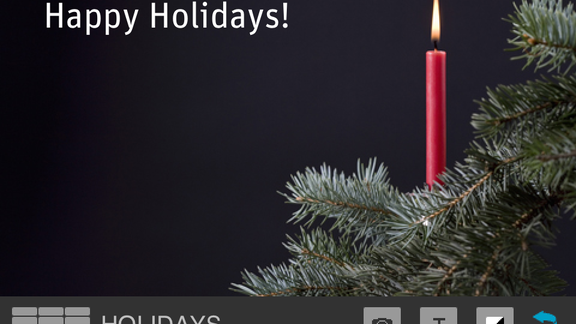
It’s a little tiresome task finding a greeting card for your loved one as it makes you irritate. The fCard ($0.99) is made for you, it sports a minimalistic design and personalized messages.
Elf Yourself iOS app – Enjoy Your Christmas

There are only a few days left behind for the big day celebrations, everybody wants to enjoy this Christmas in his/her own way. There are lots of things that you can do on your handsets making this big event more enthusiastic. We’ve come with an iOS app named Elf Yourself, unfortunately Android users can’t enjoy this app as it comes only to iOS devices.
Elf Yourself developed by OfficeMax lets you elf yourself and watch yourself dancing on a Christmas song. The idea first came in 2006 as a website but later on, it got a large popularity among users. Now, iPhone users can enjoy this fun on their devices.

This app will let you star in your favorite pop type video, but it’ll show you dressed up like an elf dancing in a funny way. So, you can have this fun with your friends to make them laugh. You can share this video on Facebook and other social media sites. Enjoy your holidays making fun of yourself with your friends.
Select your dance theme and then see yourself dancing in a video which can be stored in your computer. But Hip Hop is my favorite dance with any suitable theme like Classic, Charleston, Soul and 80’s.

If you want this app to be seen on your handset then you’ll need to have a device running Apple’s iOS 5.1 or later. Otherwise you can use website here.
Download Elf Yourself from App Store.
Pandora for iOS Devices Gets New Features

Pandora a very famous internet radio service has updated its iOS app with an alarm clock option and a whole new iOS 7 style design, while the Amazon’s cloud drive Photos app makes its way to the iPad Mini and iPad.
Now, the users of Pandora can direct their iPhone and iPad application to wake them up at a prearranged time by playing their beloved radio stations. Doing exactly the same like Apple’s alarm, Pandora can be snoozed temporarily or silenced permanently through controls on your device’s display, and it also allows you to continue the music playing.

Moreover, the application sports a new visual design which matches Apple’s iOS 7 aesthetic. The company promises about some other bug fixes and improvements. Pandora v5.1 is now available free, 32.6MB download it from App Store.
The Amazon’s Cloud Drive users would be happy as they can enjoy Cloud Drive Photos app on their iPad and iPad Mini, allowing them to display their videos and photos on a bigger canvas.

Now, the videos up to 2GB can be downloaded or uploaded via this application, and stored video can be steamed on any other devices. A new auto-save feature which is much similar to that found in the Dropbox, can back up your camera roll automatically to the Amazon’s servers. Amazon’s Cloud Drive Photo v2.0 is now available free, 19.7MB download it from App Store.
Top 5 Christmas Apps for iPhone Users

The Christmas season is about to come, everyone just wants to talk or listen about Christmas, you also see others planning for their Christmas. Keeping that in mind, we’re exactly doing the same here bringing some Christmas apps for iPhone users.
Christmas Sudoku

Christmas Sudoku packs 3 different modes of gameplay: Easy, Medium, and Hard plus 30 levels within the each mode. So, you will not be bored with this interesting app. You can also tell your friends about this app as it is specially made for the Christmas event. You will feel good when you see different Christmas icons being used in this game.
Christmas!!

It’s time to organize your Christmas plans, for this, Christmas!! a free app is best for you to arrange your own Christmas schedules as it comprise Christmas advent calendar, countdown and a nice collection of Christmas songs. It is made particularly for the Christmas as it will not be unlocked until 1 Dec. but can be used year after year.
Christmas Radio

The Christmas Radio ($2.99) is one of my favorite apps for Christmas as it includes 31,000 radio stations. It is based on the SHOUTcast radio, so now you can search a station by only a keyword and save your picks for rapid access later, that sounds great, isn’t it? Moreover, it can be streamed over 3G, EDGE or Wi-Fi, but you will stick to Wi-Fi or 3G for the best.
Santa’s Christmas Village

It is a free app sports more than 13 different games with full entertainment. They are checkers, solitaire, minesweeper, hangman, and many more. You’ll be happy to know that 20 holiday songs are provided built-in making your Christmas more warm. If you don’t find it good to be seen on your iPhone but your kids will surely love it.
The Christmas List

If you are very excited for the Christmas shopping, Christmas List ($0.99) app is made for you. It gives you a comprehensive budget according to your income, it’ll stop you from being extravagant. It contains email support, sortable categories and address book integration.
FunderCloud Comes With Kickstarter and Indiegogo

We use lots of apps to browse news, videos and music as they become a need of present day world. The FunderCloud makes a new addition to the App Store previous month which lets you thumb through projects from both Indiegogo and Kickstarter.
The recently released app has an iOS 7 inspired design which shows listings from two well-known crowdfunding websites. This application will list a firehouse of most famous projects, and you can filter this list by different category and new projects which are ending soon. There is also a search option for finding projects by keyword.

While viewing a listing, the FunderCloud displays the content from a particular source website and shows it in the application. On the Kickstarter projects, you will be given a link to download Kickstarter app as FunderCloud is just an aggregator, there’re no persistent Log-in options within the application. You can support a project from within the application, but is operated by the Indiegogo or KickStarter website. The FunderCloud does not perform as a management tool which tracks your projects, it’s just a browser.
Now, you can download FunderCloud through the Apple App Store for only US$1.99. It’s a kind of double shot offering you access to the both Indiegogo and Kickstarter at the same time which is more easy than browsing them separately.
Official MEGA An iOS App Has Been Launched

The re-engineered and revamped MEGA service released earlier this year, and now official MEGA an iOS app has been launched with enhanced options.
Kim Dotcom launched MEGA Service at the start of this year. The service came out with better user interface. But today, an official MEGA app for iOS devices has been released on AppStore. With this new app, the users can now manage MEGA Cloud Storage account, there are also some handy features which have been kept to enhance its productivity.

Through this application, the users can now enjoy Faster File Transfer while it also has an ability to stream and preview files and documents which are supported by this service. Now users will be able to share and export folder and file links, they’ll be able to import different files from the links into MEGA Cloud Storage Accounts.

Different features include support for the native iPad app and the photo synchronization. The Official MEGA an iOS app for iPad, iPhone and iPod Touch is now available for free download from the AppStore.
Great iOS Travel Apps Making Your Holiday Easier

People around your surroundings are gearing up to travel for Thanksgiving, but with some right applications on your handset, you can avoid the tiresome pain of holiday rush.
Traveling could be headache for someone particularly during some big holidays like the recent coming Thanksgiving. With lots of people traveling at the same time, you are faced with bad weather, packed airports, unexpected schedule changes, and irritable passengers trying to get home for this holiday.

To keep your stress level low, I selected some great iOS travel apps which will keep you on your organized schedule.
Just Landed

It isn’t exactly an application for the holiday traveler intrinsically, but uses your current flight schedules and GPS location to help you choose the exact to go and pick up your siblings from the airport.
Just Landed covers a well designed minimalist interface with some tools you want to pick up a particular person at the airport. Let’s move on its work-mechanism, once you’ve your fellow’s flight info, you may enter the flight number in this app to get the updated information about his/her flight on the travel day, comprising whether his/her flight was late or will reach early.
Though Just Landed is not for the holiday traveler, it’ll come in handy for those who’re picking up their friends or siblings at the airport.
TripIt

The Triplt allows you to set up an account, forward travel confirmation Emails to a particular Email address like (Plans@tripit.com) to set all your holiday info available on your handset. Everything from restaurants, car rentals, flight times, to hotels you wanna try, and lots of other things can be added to your holiday trip card, so you know your itinerary very well on your iPhone.
It is more than a list of info. Triplt takes your holiday plans, mapping data, uses flight data, and above all to give you a comprehensive schedule of particular events. For an example, when you reach at your endpoint, you can get directions to the restaurant, car rental location and can check the condition of the weather.
3 Must Have Shopping Apps for iPhone & iPad

Going for shopping in a Mall could be tiresome as it takes time and your energy. We’ve come with some top-class shopping apps for iPad and iPhone users.
ShopSavvy

ShopSavvy is the best app for online shopping. With a rapid scan of barcode using your handset’s camera, you can go for price comparison which store is offering the best price rates for a same thing. ShopSavvy is a very helpful app especially when getting online stores to price match. This app also lets you see your historical pricing data when you think it is necessary. There’re also lots of social Built-In elements, comprising Facebook integration and commenting system where you may leave your tips on goods for the other ShopSavvy users, share wishlists, and add new friends.
eBay

eBay is a granddaddy of selling things online. You will find some individuals and full blown stores selling mainstream and obscure items, a securely integrated platform for payment (PayPal), and a verified Karma system to give both sellers and buyers with confidence.This app is fully featured, comprising some filters in the search results for price, model, and buying format with barcode to identify the product.
Amazon

Amazon is one of the biggest online retailers. With this app, you can browse lots of stuff comprising apps. It has all those sorting options and filters that you see in eBay app such as brand, price range and category. You can share them to the various channels, add them to your wishlist and check out high quality imagery.
Gmail An iOS App Gets Improved Options
 Google has modernized its Gmail an iOS app with some improvements focused on enhancing message composition & viewing, and simplifying user interface navigation on iPads.
Tablets are awesome because the wide screen display not only gives you an enchanting experience but also some extra room for the serious multi-tasking, Carmen Wilkinson said ( a Google Software Engineer) in a blog Thursday.

When holding iPad in the landscape mode, Gmail app shows a new vertical sort of navigation bar on the left of the screen.
The column type navigation bar is an integral part of the interface when this application is used in the landscape mode. It has many icons for different app features, comprising different kinds of inbox categories in the app such as Primary, Social & Promotions along with message counter.

With the old version of the app, the users need to hit on the Menu icon in the upper left corner of the interface to activate the appearance of Controls that comprise inbox groupings and some other filters for arranging massages.

Another ability of this updated app is to display individual texts in the full screen view when your iPad is set in the portrait mode. Its goal is to make message viewing and composing process more convenient and comfortable for iPad users.


