 Apple Apps
Facetime for Mac with Lion Version
Facetime for Mac can be possible with Mac OS Lion which is the product of apple. Facetime is a great facility for people to make video calls on their Mac system. You can avail this opportunity provided by the apple by purchasing the Mac operating system with Lion version or other latest versions of Mac whereas this will not possible for the previous ones. You can see the video of your caller during call on Mac just like iPhone 4, iPod or iPad. It makes it easy to hang out, to laugh or to work with your relevant one.
 The other best feature is that if you are turning off the facetime even after this it’ll show you a message whenever someone will call you which are the big advantage of this. You can add your favorite contacts in contacts list and can keep in touch with them.
How to Use Facetime for Mac:
As you know about the facility available through apple’s applications and it also makes probable to facetime for Mac. Initially it first develops for the system of iPhone 4 and then release in shape of beta for the users of Mac. If you are a new facetime user then the first thing will come in your mind that how you can use it. It is not a difficult task, everyone can use it freely. But here are some things which you will need for call via facetime.
- First you need to have a Mac OS with Lion version and it is the minimum range to use this application and if you have the latest then it is good.
- Then you should have a Wi-Fi connection to make a wireless connection for call.
- Download the application of facetime to run it on your Mac system and open it after installation.
- When you open this application you will see your pictures just like you see in a mirror and another side you will see an option to sign it. Then go to the option to sign in and use the apple’s account information to start its process.
- After signing in you can make video calls to which you want to. If you are going to call on iPhone users then the thing which I want to mention is that, it will differ in terms of your iPhone state that you will see the image on your Mac in rotating position if the iPhone will rotate.
- You have to choose contacts from the address book because the contact saving facility is not available on facetime.
- Overall facetime for Mac is a very beneficial and easy way to contact to your friends and other members of you address book list by following little instructions.
Adobe Photoshop Custom iPhone cases
There a vast variety of custom iphone cases available in the market. If you design your own personalized iphone case you would get a sense of satisfaction. Your creation will depict intelligence and talent both. Secondly everything available in the market is extremely expensive, but yet you simply want the best iphone case. The solution lies in using your own hand. You need a bit of technological knowledge as well.

Requirements:
- You need to have a shop on Cafepress.
- Photoshop
Guidelines:
The following steps will provide greatknowledgefor designing your custom iphone cases.
- Download an iphone template through Cafepress.
- Open your iphone template in Photoshop. If you see the green lines they are there to guide you so that you can create your design with ease. You should leave the background as it is.
- Another layer should be added above the background and it should be painted black.
- Now you should copy the background and it should be moved above the black layer. The opacity has to be 50%. The background layer has to be above all the other layers in order to see the borders or outline.
- Download the free Photoshop brushes.
- You can either use the “load brushes “option or “replace brushes “option to keep the brushes window.
- The next step is to add a new layer. This layer has to be placed below the one that has opacity of 50%. The damask brush should be placed in the center.
- Another layer should be added and another damask brush should be placed above the previous one. It is better to add elements on individual layers because making separate layers makes it easier to move the layers around independently.
- Now add text on a new layer. New layers are created automatically in the latest version of Photoshop.
- Now the 50% opacity layer can be deleted.
- You can save the jpg file for the custom iphone design and it should be of maximum quality.
Suggestions:
- Internet is a rich resource. You can find ample guides related to Photoshop. You can study the one that add value to your work.
- Similarly you can find adequate knowledge on Cafepress as well. The best part is that you can register for free and find a vast variety of templates for your iphone.
- Designing your own custom iphone cases can be a fun activity. You will learn a lot more. However you need to have knowledge related to Photoshop so that you do not face any issues while creating your design. Once you get a knowhow about the basic designs for iphone, you can then try your hand with the more complicated ones to challenge your skills. The above design gives a more sober look and would do great in a professional environment. You can even opt for funky designs. The best part about funky designs is that you can do a lot of experimentation with them as per your desire.
Best Mac Apps Provisions and Functioning

While you are working on your Mac, many things are there which cause you to disturb or distract your attention from work that affects your work quality.
Here are some best Mac apps to stop this distraction and help you to work properly. Even when you buy a computer and take it at home then you need to update its functioning and install different applications similarly with the passage of time many update applications are available to download to boost your Mac system.
Different applications are available now to install for Mac system which help you to do your work effectively and make it easy for you to operate system. In these applications are isolator, concentrate, focus mask, spirited away and so on.
How to use these Mac apps:
There are some best Mac apps are discussed and mention they way to use these applications to work efficiently.
- Spirited Away is a Mac app that works to put out of sight the inactive applications and maintained the suing task.
- On the other side Houndini is also a list of options application just like the Spirited Away. It conceals the motionless apps and organizes the whole setting of motionless apps.
- Isolator is one of the best application for Mac, it perform function to diffuse the light of your LCD and just show the brightness of your performing task which maintains your focus to work. You can reset the setting of this application according to your requirement.
- Now you can block your unnecessary applications with the help of Concentrate to save your time and to concentrate on your task. This is a value considered application.
- Focus Mask as it shows its meaning through its name that it covers the files under its mask. This application performs function to keep the dynamic windows hide at the back of the active widow.
- One application that mostly people prefer to use in their working hours that is Quiet which shows your status busy or on task or the other one is do not disturb to your contact list members. Also bury your other programs at that time.
- Once you engage fully in your task and have no idea about the time which you spend in front of computer then it become essential for you to take some rest for which you can activate the Break Time application. It works just like the reminder which reminds you to take some rest but if you want to continue your task then you can put it on enforce mode. This application functions to shades off the light. Time out application also performs the same function.
- Whereas Time Sink is a different and useful best Mac apps which make it possible for us to see our full day performance as it make a record of everything which we have done. You can view through it that how much time you spent with your Mac via comprehensive diagram.
Google Latitude iPhone
Google provides an opportunity to its user in shape of application Google latitude. How to set up Google latitude iPhone is the basic question here to get benefit from it. Now a day’s many iPhone users install this application to get aware from their friend’s status. This enables you to keep in touch with your contacts and you can find them anywhere they are. There are many sources available on network browsers from which you can easily download this free of cost and can install on your iPhone.
 It helps you in many ways in your business or personal life. You can check out the status of your relevant person for which you want. All this happened through a map designed by Google. Even you can see them visually through this map. After installing it on your iPhone, you can access to your friends and family members on map and can find their present location whereas you can set your status by your own choice whether you want to show your status to others or want to hide you then no one can access you. Also you can restrict it in local location that if you will go out of the city, then you will remain invisible to others. On the other side you can on your status outside the country. Simply you can set your privacy setting as you do in facebook, etc.
Instructions to Download Latitude:
Latitude is a program that you have to be allowed to share the locations to others without which you cannot be able to share you and others on map. Also the disable function is present after completing task.The least obligation of Google latitude iPhone is 3GS with IOS 4 version. It can be downloaded or install by following these instructions:
- First of all open a web browser on iPhone
- Find the way of Google latitude on web
- When you find this then start to download this application on your iPhone
- After completion go to the main menu where choose to join Google latitude
- It will ask you your name, password and other relevant information to make your account and you have to fill these columns.
- Then you will see a confirmation message and you can save many of your contacts who are the users of Google latitude iPhone to share your online location status to them and also to see their location status too. This is a small procedure to install this application on your device.
- Background facility facilitates you at that time when you locked your device and it works on backside of the device and manages the whole process of latitude.
- It is very easy to use and beneficial too. It can understand many languages in which are French, German, English, Spanish, Japanese, Korean, Italian, Danish, Finnish, Greek, Polish and Arabic with many others.
Easy Procedures for iPad’s IOS Application Development
If you want to make IOS application development by yourself and searching for material or guidelines which will help you do that then, you have to study this article. Apps development task really demands instructions by following which you can easily make apps for your iPad. Well there is nothing to worry about that how you will make apps for your iPhone because the instructions will be same for all apple devices.
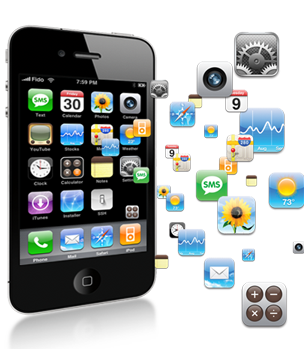
To develop an app is good, but you are not eligible to sole in market setup without having license. You have fully aware about the apple programming system and guided material can help you to search things which you require to study for. Have information regarding developing tools are necessary for you. You can purchase or download on apple’s site or store. By doing programming courses you can be very familiar to be a developer of your iPad’s applications. Once you become able to make applications for iPad then you can also apply this same strategy to develop applications for iPhones because both of these run in a same way.
Instructions to Develop iOS Applications for iPad:
- If you are the member of apple IOS developers and want to make iOS application development then it will be easier to you to view guiding principles, codes, and other materials related to make applications for your iPad or iPhone. You can also take a duplicate 4SDK of IOS apple and so on.
- More than you can take many other benefits by connecting you with apple store like uploading application facility from its stock will available for you.
- Before starting, clear your mind about your related tasks that what you want for your iPad and which type of applications you need for your device.
- You have to download SDK 4 from application store of apple and OS X 10.6.6 version is also necessitating for Mac.
- To develop applications for web you can study the program about Safari codes, lectures and other implements which are freely available in apple’s store. Through which you will get an idea about web development applications.For more information just consult the provided material about the content of web to develop IOS applications for your device.
- In these guidelines you will view the W3C and its uses and other related sources of CSS that how it can be changed, will also be there to help you out for your tasks.
- All these instructions will guide you in good way to make IOS application development for your iPad. Then, start to upload your completing applications for your device and use it to test whether these applications performing well or have some problem. After doing all this procedure, you will have enough knowledge to make any application for any apple device.


